Everything CADKeeper does. Nothing your drawings can feel.
It works on file names and folder structure — it never modifies the contents of your drawings, and nothing is ever uploaded. Here's the whole workflow, from the first audit to a compliance report.
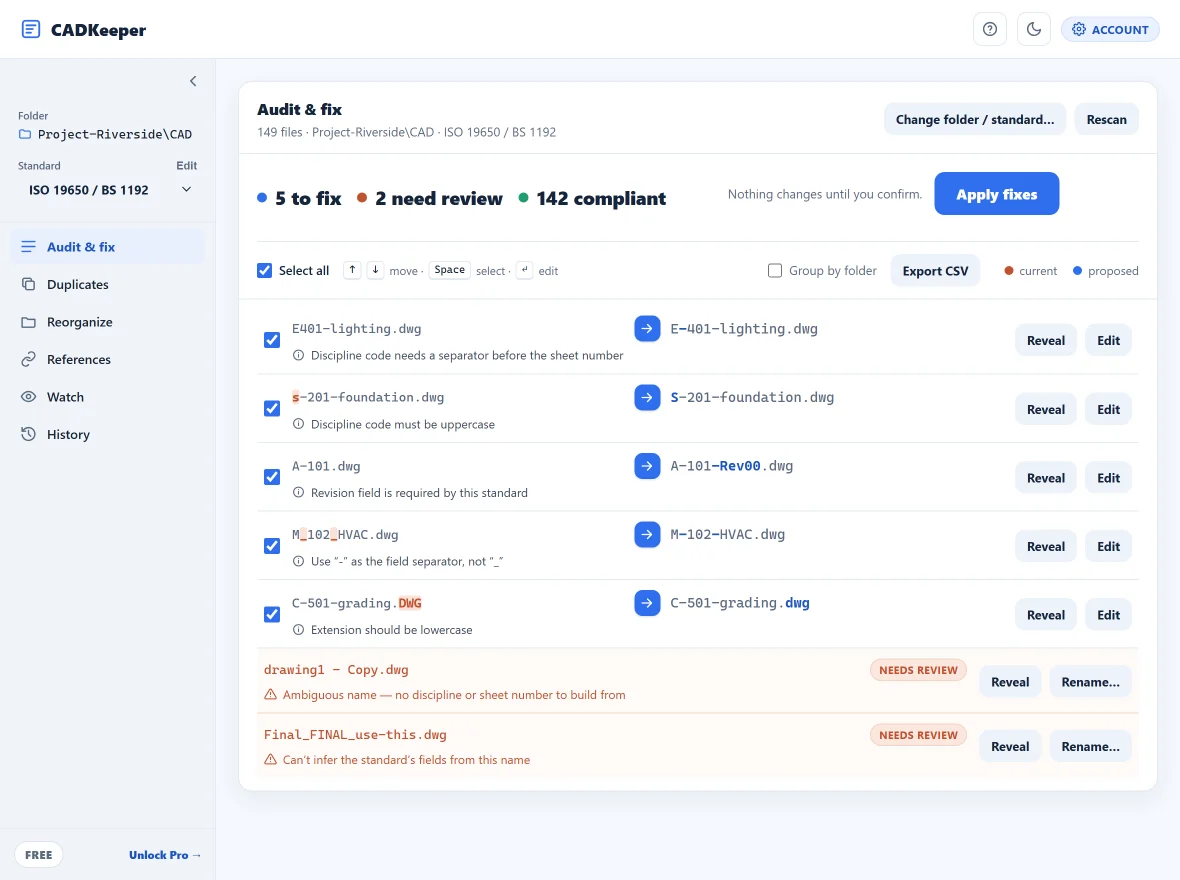
See every violation in five seconds.
Point CADKeeper at a folder and it checks every file name against your standard, groups the violations by reason, and shows the exact fix it proposes. Filenames are shown in mono so structure is legible at a glance.
- Recursive scan of local or network folders
- Every violation grouped and counted
- Proposed fix shown inline: current → proposed
- Exportable audit report (CSV)
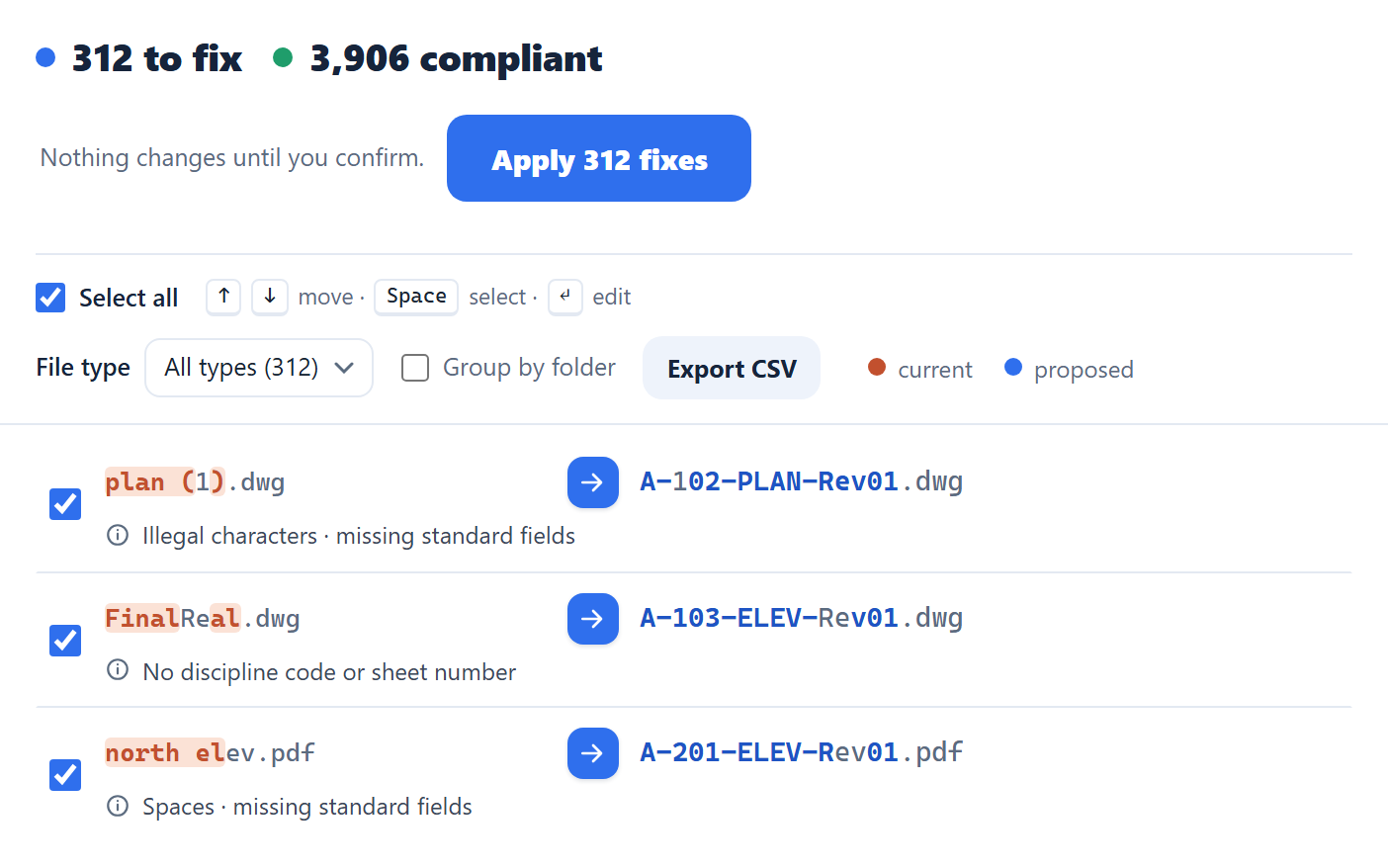
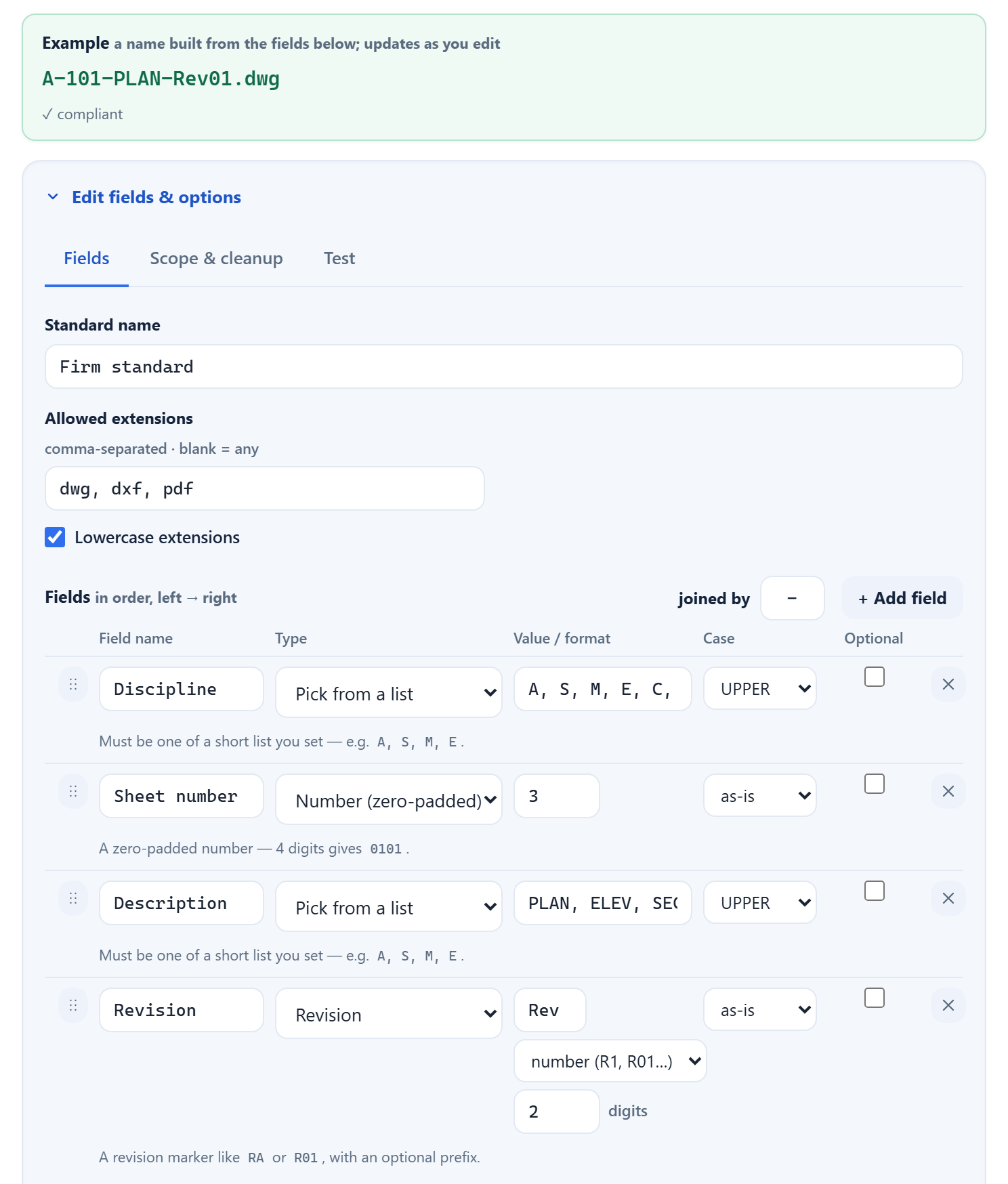
Build the rule once. Enforce it forever.
Define your own fields, discipline codes, separators, sequence and revision format, then save it as a reusable ruleset. Client-specific or in-house conventions, including oil & gas document-numbering schemes. AIA/NCS-compatible templates ship today; the ISO 19650/BS 1192 preset is cleared, with more named presets rolling out as each is cleared.
- Token positions, separators, casing and regex
- Allowed value lists per field
- A live example name as you edit
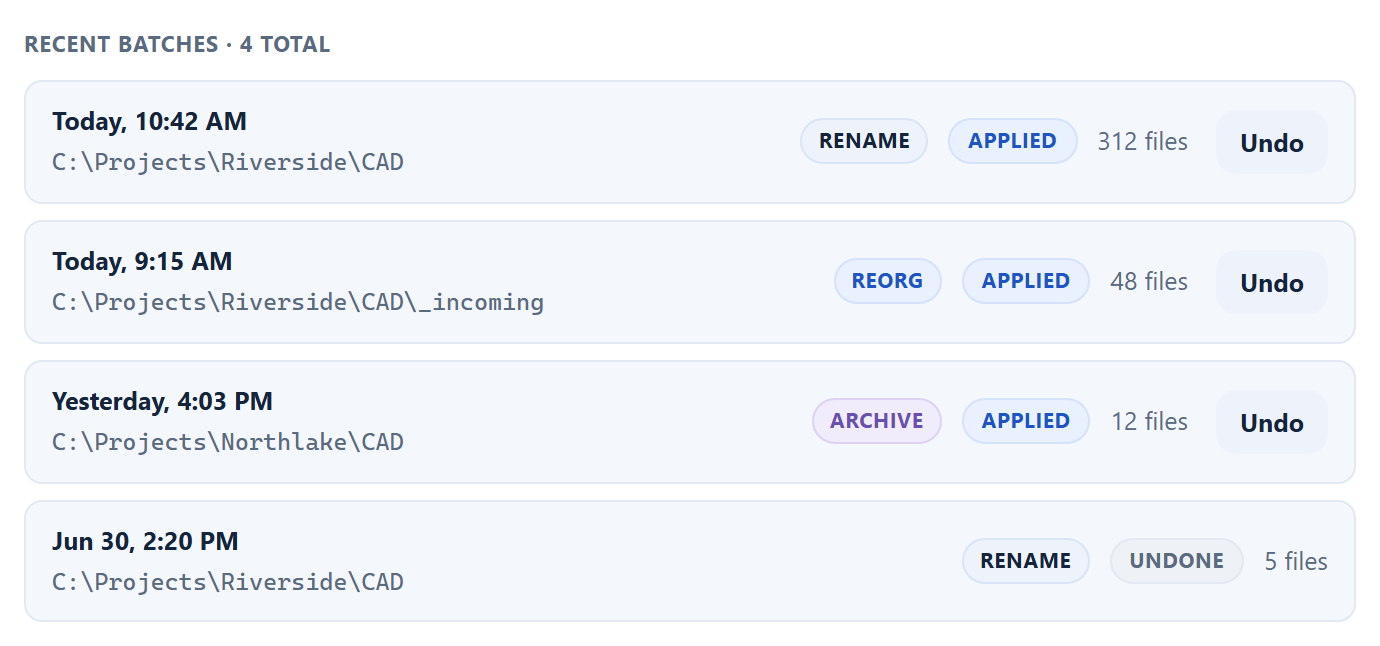
Preview everything. Roll back anything.
Every batch is staged and previewed before a single file changes. Each rename is recorded with old name, new name, path, size, timestamp and the standard applied, so you can undo any batch, even weeks later, and hand the log to document control.
- Mandatory dry-run before anything touches disk
- One-click rollback of any past batch
- Change log exports for ISO 9001 / 19650
Find the copies of copies.
CADKeeper normalizes names to surface files that look like copies of one another, with a suggested keeper for each group. Detection only: it shows you the groups and never moves, renames, or deletes anything on its own.
- Near-duplicate grouping by normalized name
- Suggested keeper per group
- You stay in control of every action
Nothing is uploaded. Ever.
CADKeeper is a desktop tool, not a web service. Your drawings, folder names and project structure never leave your computer. No cloud, no account, no server for IT to vet.
- Runs fully offline
- No files copied, uploaded, or sent anywhere
- Works on air-gapped and network drives the same way
Pro: keep a live project compliant.
Everything in Core, plus the tools that earn their keep on a growing project. See Pro pricing →
Real-time folder watch
Catch bad names as files are saved, with alerts.
XREF-impact check
See every reference a rename will affect before you commit.
Compliance reports
Audit-trail reports for ISO 9001 / 19650 document control.
Full format breadth
Any file extension — RVT · IFC · STEP · DGN and the long tail, plus multiple standards per pass.
Compare every feature
Free is a true subset of Core, and Core a subset of Pro. Nothing is taken away when you upgrade, only added.
| Feature | Free | Core | Pro |
|---|---|---|---|
| The crash-safe workflow | |||
| Audit any folder, any size | ✓ | ✓ | ✓ |
| Batch rename & auto-fix | 10 / run | Unlimited | Unlimited |
| Reversible change log + one-click undo | ✓ | ✓ | ✓ |
| Custom rule builder | ✓ | ✓ | ✓ |
| Standard templates (AIA/NCS-compatible, ISO 19650) | ✓ | ✓ | ✓ |
| Duplicate & near-duplicate detection | ✓ | ✓ | ✓ |
| CSV export of the change log | ✓ | ✓ | ✓ |
| Durable rollback of any past batch | ✓ | ✓ | ✓ |
| File formats | |||
| DWG · DXF · PDF | ✓ | ✓ | ✓ |
| Any other file type (RVT · IFC · STEP · DGN …) | – | – | ✓ |
| Ongoing compliance | |||
| Real-time folder watch & alerts | – | – | ✓ |
| XREF-impact check before renaming | – | – | ✓ |
| Folder reorganization | – | – | ✓ |
| Compliance audit-trail reports | – | – | ✓ |
| Multiple standards in one pass | – | – | ✓ |
| AI-assisted rule & naming suggestions | – | – | ✓ |
| Licensing | |||
| Price | Free | $149 once | $200 first yr (includes Core, $149 value), then $99/yr |
| Devices per license | Unlimited (no key needed) | 2 (movable) | 2 (movable) |
| License | No account | Perpetual, you own it | Subscription + perpetual Core |
| Download free | |||
|
You are buying a license, not the software itself — for one person, on up to two devices. Core is perpetual and works offline once activated. Pro is an annual subscription that re-checks online; if it lapses you keep the perpetual Core license included in year one. |
|||
Pro's first year includes a perpetual Core license; if the subscription later lapses you drop to Core and keep everything you own, never back to Free. See full pricing →
Try the whole workflow on a real folder.
Free to download, free to run. No account, no card, nothing uploaded.
Download free